FINANCE & TECHNOLOGY
SECURITY SETTINGS / PRIVACY SETTINGS
Managing security settings on the mobile app

Project
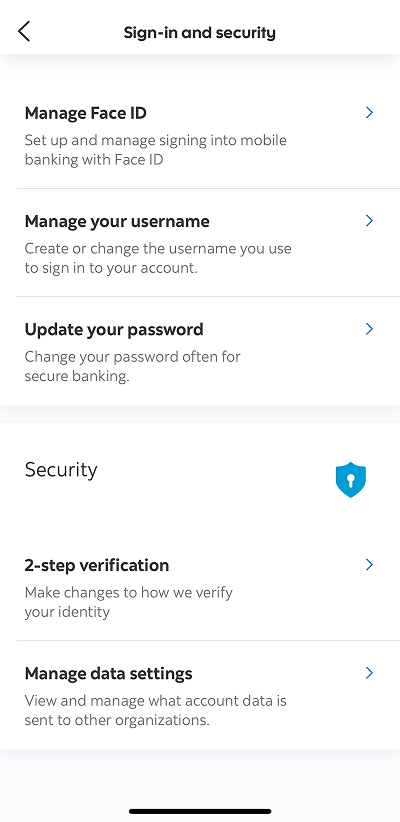
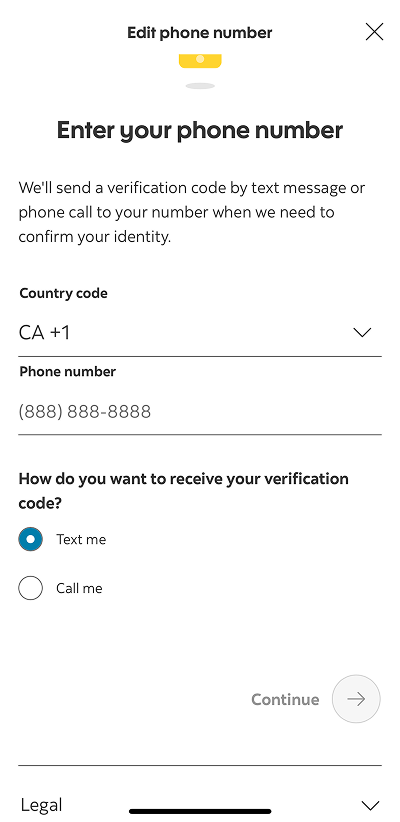
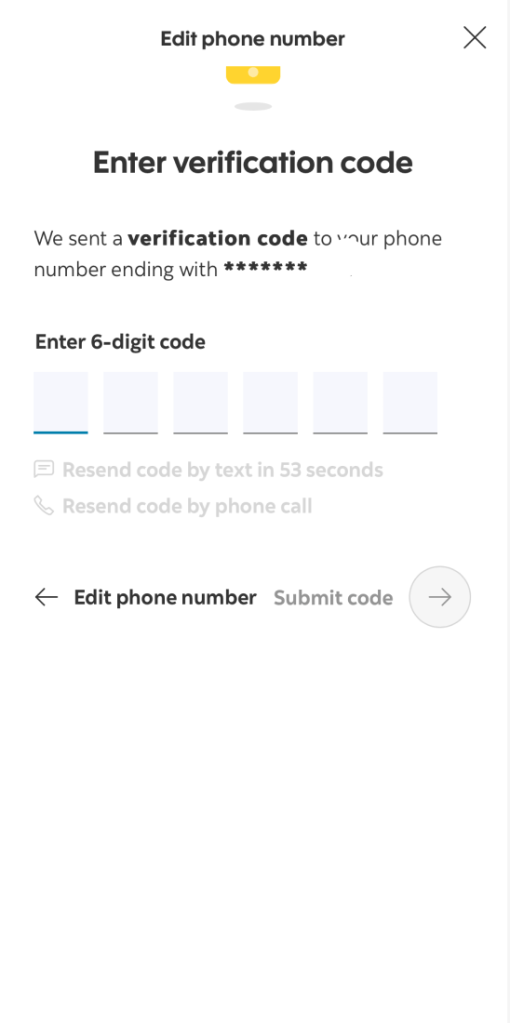
Scotiabank has about 5 million customers who bank online through the desktop or mobile app. To ensure digital banking remains safe and secure, users are encouraged to set up 2-step verification with their phone number. This security feature sends out a one-time password to their phone to verify their identity. I worked with a product designer and product manager to enhance this feature, which included copy changes to several user flows and adding the ability for users to edit their phone number within the app’s security settings.
Approach
To make the verification process simpler and more clear, I rewrote the titles and descriptions of screens that appear on the web and mobile app. Users can change their phone number by selecting “Edit”, input their number, and enter the verification code sent to them. There are different names out there for a one-time passcode. I used the term “verification code” to make it easier for users to understand and remember.
Adding privacy settings to the mobile app


Project
In response to changes to privacy laws in Canada, Scotiabank needed to add a privacy banner and tools to their mobile apps to meet a regulatory requirement by September 2024. My role was to adapt the cookie settings content that pops up on their website for the Scotia mobile app.
Approach
At the time, many mobile apps didn’t have this feature and Scotiabank’s website referred to it as the “Privacy Preference Centre”. This tool was not built in house, so changes to the copy and design were limited. I renamed the tool to “Privacy settings”, wrote a short description, and removed as much legal or technical jargon as possible. I also wrote an in-app notification to introduce the new privacy tool to users, explaining where they can go to update their preferences at any time.
 Mimi Szeto